Play Free Retro Games Online: Arcade, MS-DOS and Console Classics
Free games in your browser with no download — arcade machines, MS-DOS and old console classics, how they run legally, the controls, and what works on a phone.

The games of the 1980s and 90s are playable again, in a browser tab, for free — and without any dodgy download.
How old games run in a browser
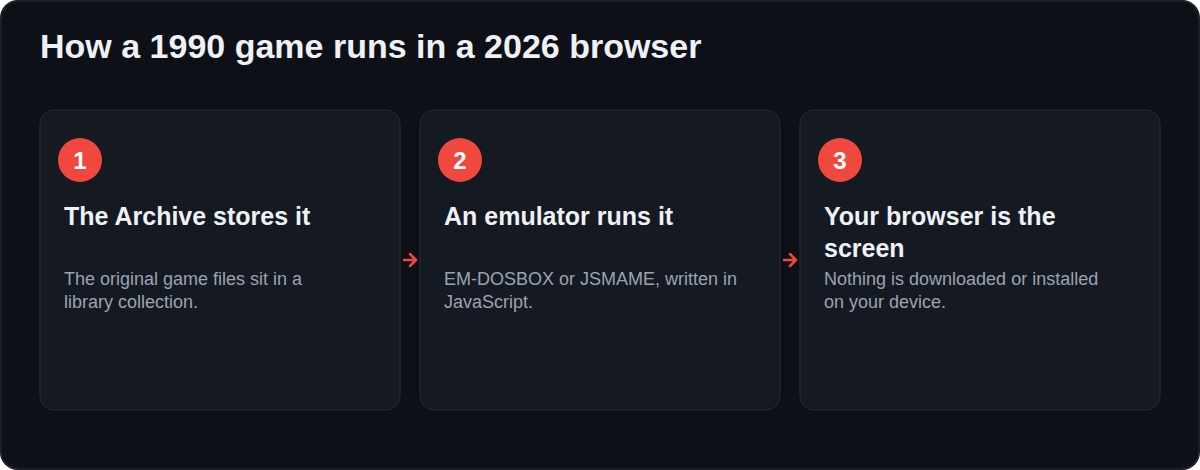
The Internet Archive, a registered library, runs emulators written in JavaScript: EM-DOSBOX for MS-DOS and JSMAME for arcade and console machines. The original game runs inside the emulator on the Archive's servers, and your browser is just the screen and the keyboard. Nothing is downloaded to your computer, and the Archive removes titles when rights holders ask it to.
Teleora lists those games and plays them in the Archive's own player.
What you can play
- Arcade: the coin machines — Pac-Man, Galaga, Street Fighter, Donkey Kong.
- MS-DOS: Prince of Persia, Wolfenstein 3D, SimCity, Oregon Trail, Dangerous Dave, and thousands more.
- Console Living Room: Atari 2600, Colecovision, Genesis-era cartridges.
- Classic PC: early adventure and strategy games.
Controls that matter
- Click inside the screen first, or the keys go to the page instead of the game.
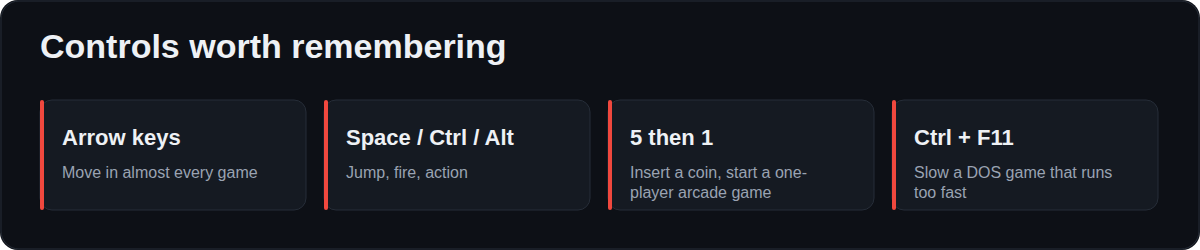
- Arrow keys move; Space, Ctrl or Alt act.
- Arcade machines: 5 inserts a coin, 1 starts a one-player game.
- A DOS game running too fast: press Ctrl + F11 a few times to slow it down.
- Full screen is on the game page, and a game pad works if your browser supports it.
Phones: the honest answer
Most of these games were built for a keyboard, and a browser cannot send key presses into another site's player. So on a phone, games that need typing or many keys are hard to play, and heavy DOS titles can run slowly or fail on older devices. Puzzle, board and point-and-click games behave best. On a laptop, everything behaves the way it did in 1993.
Why saving does not work
The emulator starts the game fresh every time and there is no save file — that is a limit of the in-browser emulator, not of the site. Treat it as an arcade: a quick game, not a campaign.
Twelve games that still hold up
| Game | Year | Platform | Why |
|---|---|---|---|
| Prince of Persia | 1989 | MS-DOS | The animation still looks alive |
| Pac-Man | 1980 | Arcade | Ten seconds to learn |
| Wolfenstein 3D | 1992 | MS-DOS | Where first-person shooters began |
| SimCity | 1989 | MS-DOS | One more year, every time |
| Oregon Trail | 1990 | MS-DOS | Everyone dies of dysentery |
| Street Fighter II | 1991 | Arcade | Best with a friend on one keyboard |
| Lemmings | 1991 | MS-DOS | Puzzle design at its cleanest |
| Dangerous Dave | 1988 | MS-DOS | Two minutes a go |
| Galaga | 1981 | Arcade | The purest arcade loop |
| Donkey Kong | 1981 | Arcade | The birth of Mario |
| Karateka | 1984 | MS-DOS | Cinematic before cinema games existed |
| Chip's Challenge | 1989 | MS-DOS | 150 levels of pure logic |
Why some games run badly, and what fixes it
| Problem | Reason | Fix |
|---|---|---|
| Game runs at double speed | It was written for a slower processor | Press Ctrl + F11 a few times |
| Keys do nothing | The page has focus, not the game | Click inside the screen first |
| Arcade game shows a menu forever | It wants a coin | Press 5, then 1 |
| Sound stutters | The emulator is short of CPU | Close other tabs; use a laptop, not a phone |
| Black screen | The game needs files the Archive could not load | Try another title; not every upload is complete |
Where these games came from, and why they are online
Arcade machines and floppy disks decay. Emulation is how software gets preserved at all: the original files are kept, and a program pretends to be the old hardware. Libraries do this openly — the Internet Archive is a registered library and runs its emulation collections in that role, removing titles when rights holders ask.
Playing with other people
- Two players, one keyboard: many arcade games use separate key sets, so two people can share a laptop.
- A game pad: works in most browsers; plug it in before loading the page.
- Send a link: there are no accounts, so anyone can open the same game instantly.
FAQ
Is playing these games legal?
The Internet Archive is a library and operates these emulation collections under that status, removing titles when rights holders ask. Teleora hosts nothing and plays the Archive's own player, and removes any title on request.
Do I need to download or install anything?
No. Everything runs in the browser.
Can I play on my phone?
Some games, yes. Anything that needs a keyboard is much easier on a laptop. There is no way for us to add on-screen buttons, because the game runs inside the Archive's player.
Why is a game running too fast or too slow?
Old games tied their speed to old processors. Press Ctrl + F11 to slow a DOS game down, Ctrl + F12 to speed it up.
Can I save my progress?
No. The in-browser emulator has no save feature, so each session starts from the beginning.
Do I need a fast computer?
Any laptop from the last ten years is fine. Old DOS and arcade games ask very little — the emulator is the heavy part, and it is still light.
Can I use a game pad?
Yes, in browsers that support the Gamepad API. Connect it before you open the game page.
Is there a two-player mode?
Many arcade games support two players on one keyboard — press 5 twice for two coins, then 2 to start a two-player game.


